

 Websites
 Forms
Forms
 Pages
Pages
 API
API
 Modules
 Mobile
 Collaboration
 AI
AI

Imagine it. Build it.
Build a professional webpage quickly and easily in Soiodev CMS using drag-and-drop, point-and-click, or a code editor—no development experience required.
Easily add elements to your page. No code required.
Adding content is as simple as dragging an element on to your page.
- Drag elements for easy placement
- Intuitive UI for file picking
- Replace content by dragging a new element on top

Take charge and fine tune your page content
Need more customization of your content. CMS offers a robust code editor allowing you to take complete control of how you present your content to the world.
- Robust code editor
- Support for: PHP, HTML, SCSS and Javascript

Point. Click. Publish.
Adding code snippets to your page is as easy as locating the files in the file browser and clicking.
- Organize your files
- Quickly add to your page
- Develop modularly
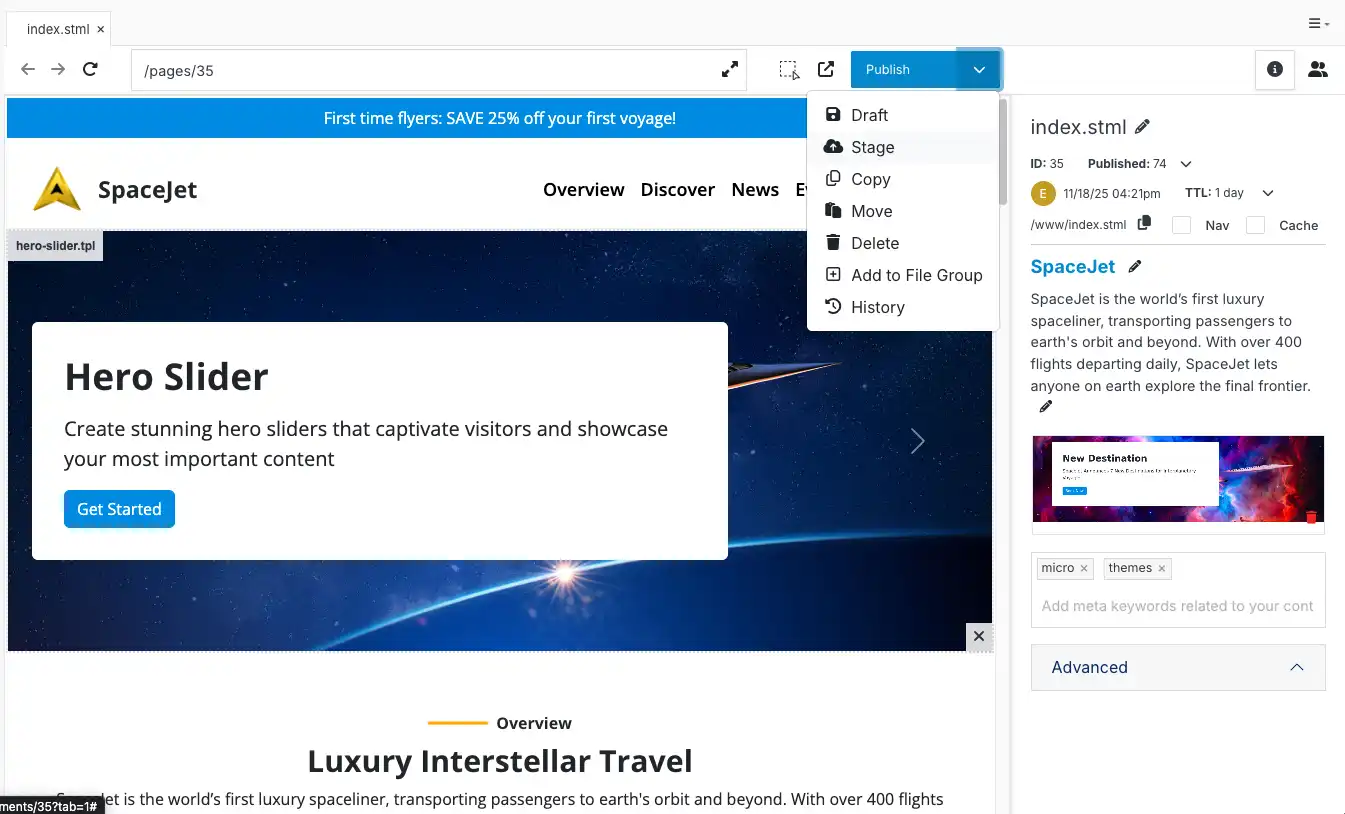
STAGE & PUBLISH
Preview content and test functionality
Launch your updates with total confidence—test every change in a safe, secure staging environment before your website goes live.
- Unique staging URL for each site
- Edit your pages and stage them
- Add tasks for your team to review and approve before publishing
Develop infinitely embeddable templates
The engine behind layouts in CMS — Dynamic DIVs allow you to create unique, customizable layouts.
- Develop custom layouts for your pages
- Drag, point and click to add content
- Tag pages with relevant keywords

Powerful search tools
Optimize your website for search engines and AI with easily editable meta fields, sitemap generation and more.
- Update titles, descriptions and meta objects quickly
- Generate a sitemap with just a click
- Tag pages with relevant keywords

Get Started with Pages
Talk to a Website Expert
Connect with our team about your project